


How to Set Up Open Claw (Cloudbot): The Ultimate Guide to Autonomous AI
Learn how to install and secure Open Claw (formerly Cloudbot/Moldbot) on a VPS. Automate expenses, server audits, and more using autonomous AI agents.

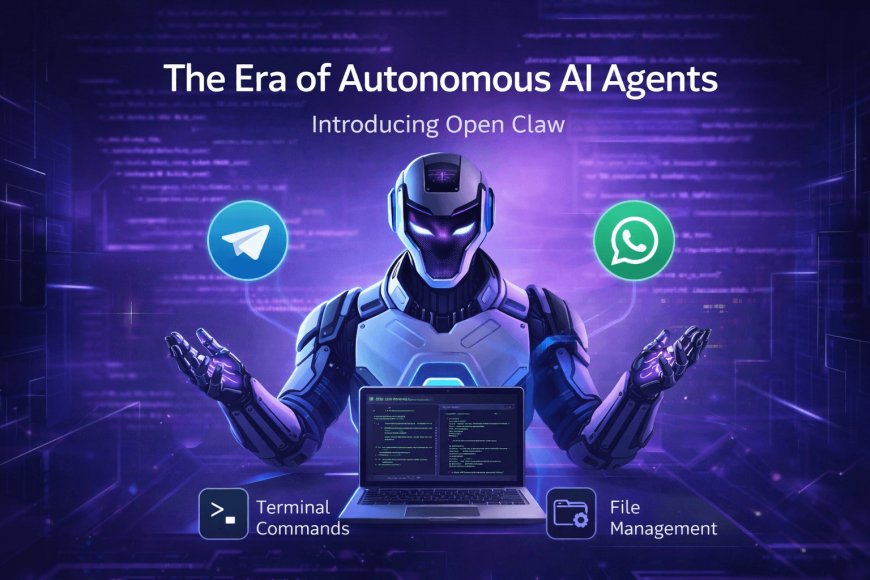
The era of simple chatbots is ending. We are now entering the age of Autonomous AI Agents. One of the most viral tools currently taking over the tech world is Open Claw (formerly known as Cloudbot and Moldbot).
Unlike a standard ChatGPT interface, Open Claw has the power to interact directly with your Operating System. This means it can execute terminal commands, manage files, and automate your digital life through simple apps like Telegram or WhatsApp.
Why Autonomous Agents are Changing the Industry
We recently discussed how
What is Open Claw (Cloudbot)?
Open Claw is a self-hosted, autonomous AI agent. It bridges the gap between Large Language Models (LLMs) like Claude 3.5 Sonnet or GPT-4 and your operating system's shell.
Key Features:
-
Chat-Based Control: Manage your server via Telegram, WhatsApp, or Slack.
-
Tool Calling: It can perform web searches, generate images, and even check YouTube analytics.
-
Cross-Model Compatibility: Connect any LLM (OpenAI, Anthropic, Mistral, or Llama).
Step-by-Step: How to Install Open Claw on a VPS
For security reasons, I highly recommend using a "Burner" VPS (like Hostinger or AWS) rather than your personal machine.
1. Technical Requirements
-
OS: Ubuntu 24.04 LTS
-
Environment: Node.js installed
-
Memory: At least 2GB RAM (8GB recommended for heavy tasks)
2. Installation Command
Open your terminal and run: npm install -g cloudbot@latest
3. The Onboarding Process
Run the command cloudbot onboard. You will be asked to connect your LLM provider. While Opus is powerful, Claude 3.5 Sonnet is the "sweet spot" for speed and cost-efficiency in agentic workflows.
Practical Use Cases
-
Expense Tracking: Simply send a photo of a receipt to your bot on Telegram. It will parse the data and log it into your database automatically.
-
Security Audits: Set a Cron job to run
cloudbot auditevery night to ensure your server hasn't been compromised. -
YouTube Analytics: Connect your YouTube API to get daily growth reports sent to your phone.
What's Your Reaction?
 Like
1
Like
1
 Dislike
0
Dislike
0
 Love
0
Love
0
 Funny
0
Funny
0
 Angry
0
Angry
0
 Sad
0
Sad
0
 Wow
0
Wow
0